From Scan to Remediation in 30 Minutes
A timeboxed walk through the full loop, get data in, read your risk, triage, prioritize, fix, and prove it, in one sitting.
Most vulnerability work fails not because the team is lazy but because the loop is too long. A scan runs on Monday, the export sits in a folder until Thursday, somebody manually reconciles it against last quarter's spreadsheet, and by the time anyone decides what to fix the data is already stale. The fix-and-prove half of the loop barely happens at all. So here is a different claim, and I am going to defend it with a clock. The full loop, from raw scanner export to a board-ready report, fits inside half an hour in CVEasy AI. Set a timer and run it with me.
Everything below happens on your own Mac. No data leaves the machine, no cloud account, no network call except the one optional lookup I will flag when we get to it. Local-first is not a tagline here, it is the reason this can be a weekly habit instead of a quarterly ordeal.
Minutes 0 to 5: get data in
Open Scan Imports in the Integrate group and drag a scanner export onto the drop zone. That is the whole gesture. CVEasy auto-detects the file across fifty-seven formats, so you do not pick a parser from a dropdown and you do not pre-clean anything. It reads Nessus, Qualys, Rapid7, OpenVAS, Nuclei, Burp Suite, OWASP ZAP, Trivy, Wiz, Prowler, Nmap, SARIF, and plain CSV. Drag a Nessus .nessus file, drag a Trivy JSON, drag a Prowler cloud report. The importer figures out what it is looking at.
While you refill your coffee it does the reconciliation a human would otherwise do by hand. It creates assets from the hosts in the export, links each CVE to the asset it was found on with the port and CVSS attached, and reaches out to NVD to fetch any CVE record the scanner referenced but did not fully describe. That NVD call is the one network request in this entire run, and it is just pulling public vulnerability metadata, never sending your findings anywhere. Then, the part that makes the rest of the half hour worth it, it computes a TRIS score per CVE per asset. Not one score for the CVE in the abstract, a score for that vulnerability on that specific host in your environment. By minute five you do not have a file anymore, you have an inventory that already knows what matters.
Minutes 5 to 12: read the Command Center
Go to the Command Center. The top of the screen is a KPI deck: total assets, open findings, criticals, your BAS validation score, and the threat actors currently relevant to your stack. That is your posture in one glance, and it is the line you will watch trend week over week once this becomes a routine.
Below the deck is the Priority Queue, and this is the part that changes how the next twenty minutes feel. It is already sorted by TRIS, not by raw CVSS. The difference is the whole point of the product. A 9.8 CVSS finding on an isolated box with no exploit in the wild can sit below a 7.5 on an internet-facing asset that an active threat actor is hitting today, because TRIS weighs reachability, exploit maturity, asset value, and the rest of its twelve layers rather than just the severity number a researcher assigned in a vacuum. You are not reading a list of everything that is theoretically wrong. You are reading a list of what to do, in order.
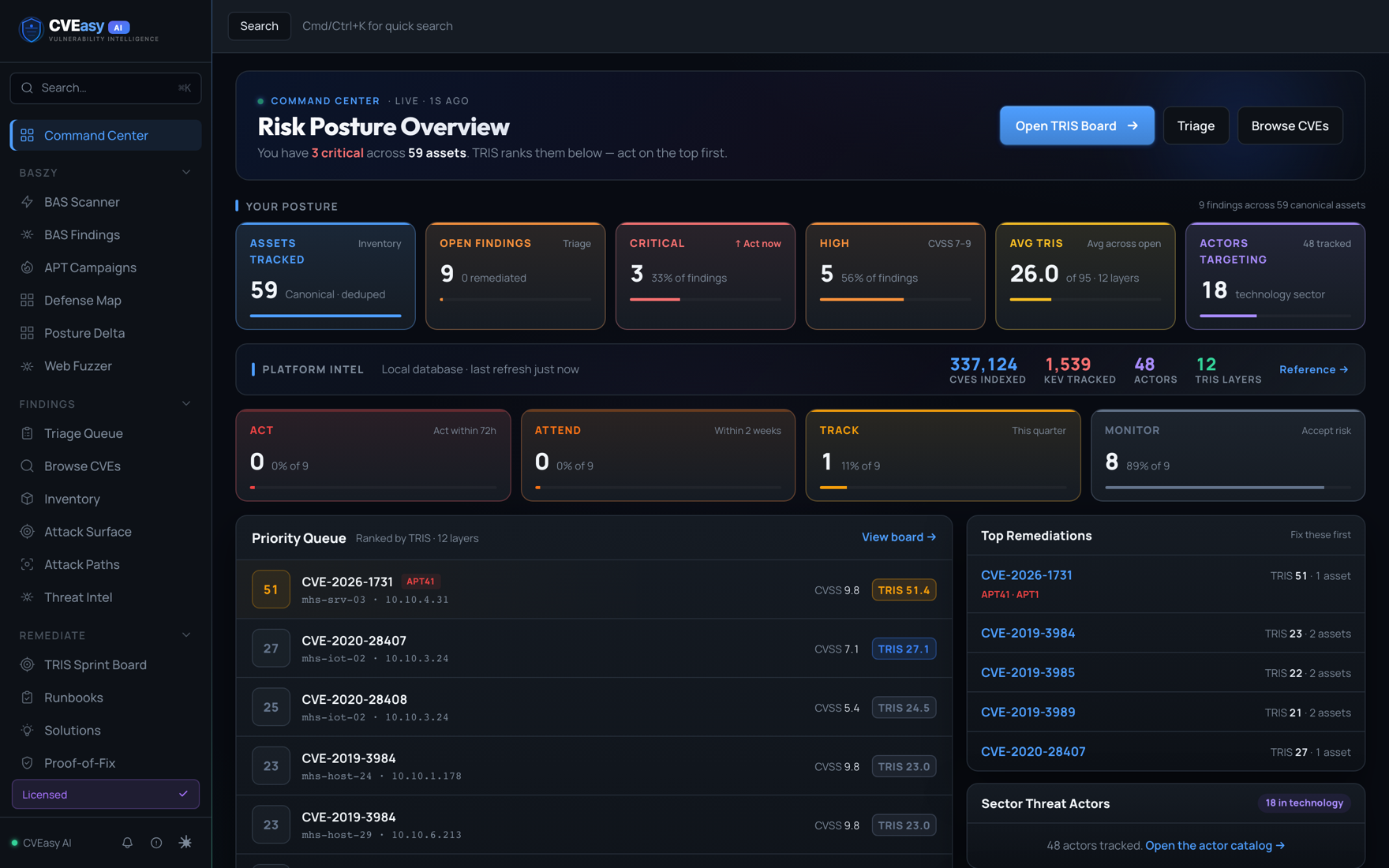
Spend a couple of these minutes just reading. Note your criticals, glance at which threat actors are flagged, clock the BAS validation score so you know how much of your posture has actually been proven versus assumed. You are building the mental model you will act on next.
Minutes 12 to 20: triage
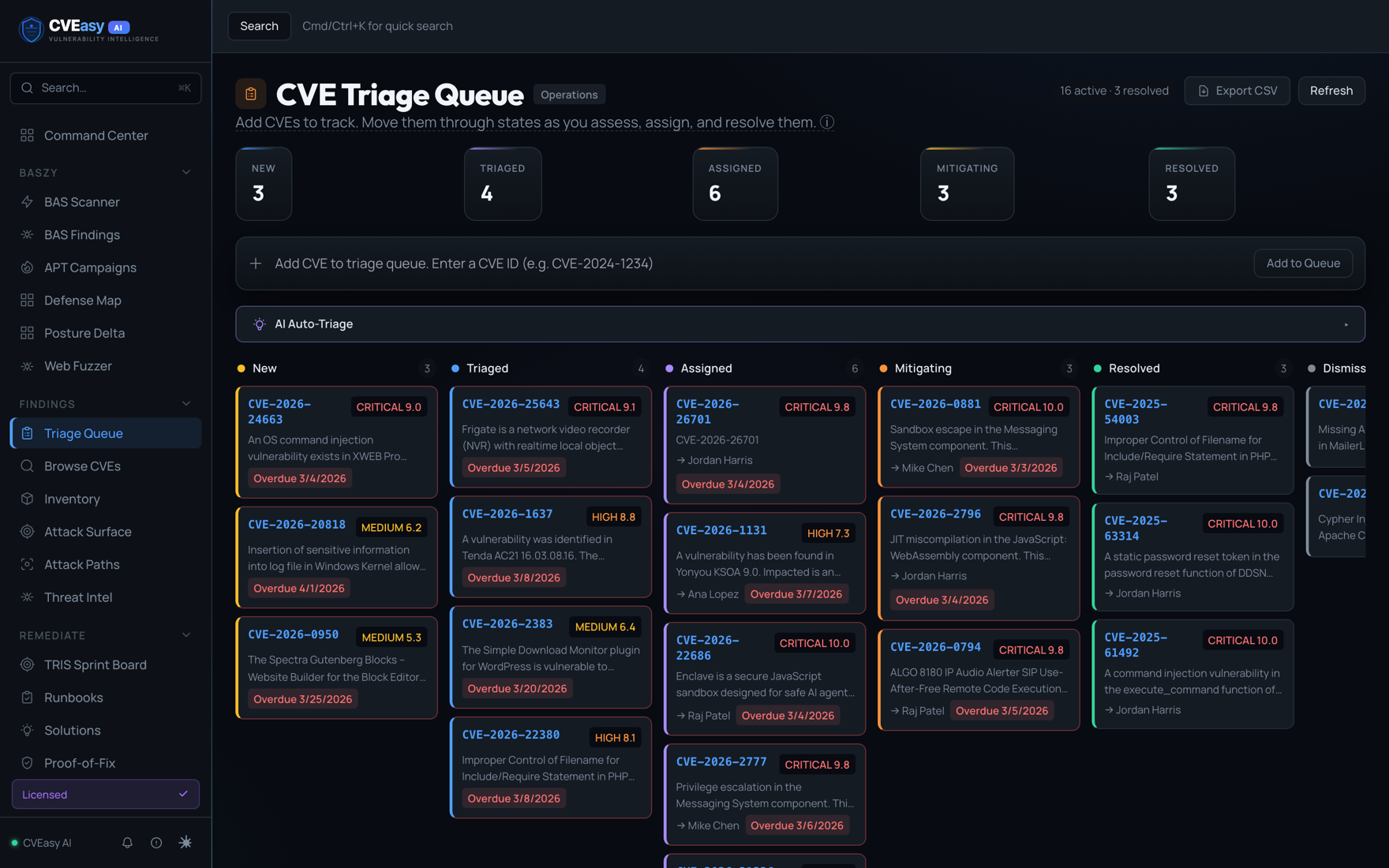
Open the Triage Queue. It is a kanban board with five columns: New, Triaged, Assigned, Mitigating, Resolved. Counts sit up top so you can see the shape of the work at a glance, and anything overdue is flagged so the things slipping cannot hide behind the things on track.
This is where a human stays in the loop, but the tool does the carrying. Work the New column top down, in TRIS order. For each finding you make one cheap decision: is this real and ours to fix, is it already handled by a compensating control, is it a false positive. Drag the card to the column that matches reality. If you would rather not push every card by hand, auto-triage can suggest the next state for a finding based on what it knows about the asset and the CVE, and you confirm or override. Eight minutes is enough to move a real batch, because you are making fast routing calls, not writing essays. By minute twenty the queue reflects decisions, not a dump.
Minutes 20 to 26: prioritize with TRIS
Now switch to the TRIS Sprint Board in the Remediate group. This is where prioritization stops being a feeling and becomes a plan. The board sorts your findings into four bands:
- ACT, patch within 72 hours. This is the reachable, exploitable, business-critical bucket. If it is here, it is this week's real work.
- ATTEND, within two weeks. Serious but not on fire. Schedule it, do not scramble for it.
- TRACK, this quarter. On the radar, slated, not urgent.
- MONITOR, watch. Low real-world risk right now, worth keeping an eye on in case the exploit landscape shifts under it.
If you want to know why a finding landed in its band, click its score chip and the twelve-layer breakdown opens. You see exactly which layers drove the number, exploit maturity, exposure, asset criticality, threat-actor interest, and the rest, so when an engineer pushes back on a deadline you can show the reasoning instead of asserting it. The ACT band is your fix list for the last six minutes. Everything else is now scheduled rather than nagging at you.
Minutes 26 to 30: fix and prove it
Pick the top item in ACT and open its CVE detail page. Run AI remediation. This is not the generic "apply the latest patch" line you have read a thousand times and could never act on directly. It generates the specific commands for that vulnerability on that asset, the actual package upgrade, the config change, the service restart, scoped to what is in front of you. You copy real steps, not advice.
Then prove it. BASzy Proof-of-Fix can re-run the same attack that flagged the finding and confirm the fix actually moved it from exploitable to blocked. This is the half of the loop almost everyone skips, and skipping it is how "we patched that" turns into an incident three weeks later. Validation closes the gap between believing something is fixed and knowing it is.
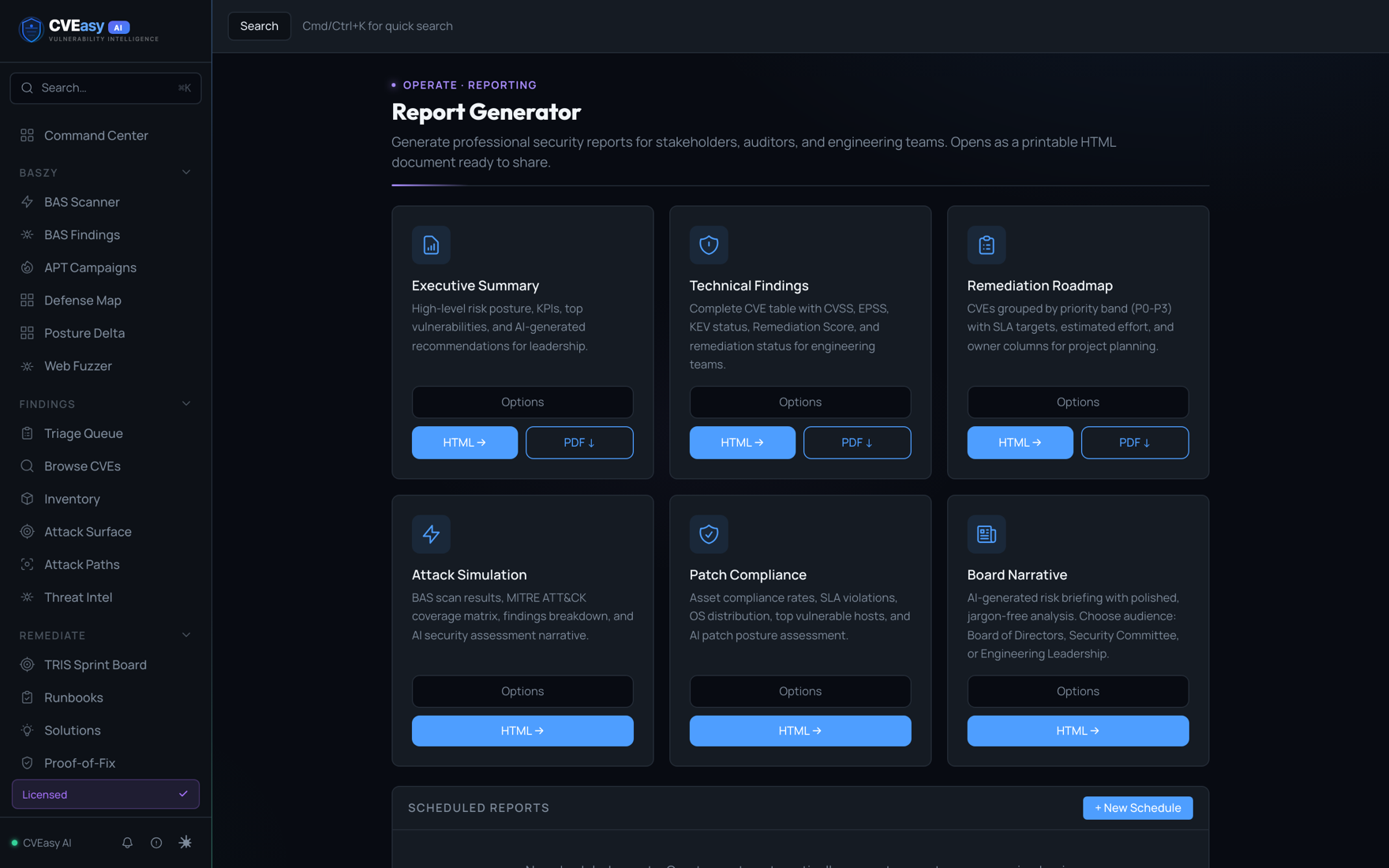
With whatever seconds remain, generate the artifact that makes the work legible to everyone who was not in the room. Go to Operate › Reports and produce an Executive Summary, Technical Findings, a Remediation Roadmap, and a Board Narrative, in HTML and PDF. One run gives you the document for your engineers and the document for your board, both grounded in the same data you just acted on.
Why the clock matters
The point was never to set a speed record. It is that a loop this short is a loop you can run weekly. When the whole cycle takes an afternoon you do it once a quarter, you fall behind between runs, and every fresh scan feels like archaeology. When it takes half an hour you do it on a recurring slot, the deltas stay small, and remediation becomes maintenance instead of crisis.
That cadence is what changes the experience of the job. Run this every week and the day a serious CVE drops you are not opening a war room to ask whether you even run the affected software. You already imported, you already triaged, you already know your exposure and your bands. The number is just sitting there, current. Exposure stops being a fire drill and becomes a figure you already know, the same way you know your bank balance. That is the entire promise, and it fits in thirty minutes on a Mac that never phones home.