One partnership, one ledger,
wired into your stack
CVEasy AI is a member of the Anthropic Claude Partner Network, and it plugs natively into the scanners, EDR, MDM, and ticketing tools your team already runs. An integration means CVEasy reads that tool’s data; it is not a partnership with, or an endorsement by, its vendor.
158 integrations across fifteen categories, and every row reconciles
It doesn't replace your stack; it reads it. One-click connectors pull findings in, TRIS™ reranks everything, and patch orchestration pushes fixes back out. Encrypted credentials, auto-sync scheduling, all local. Deduped on asset identity and grouped by the fix that closes them, teams see around a 75% reduction in ticket volume.
AppSec & Code
The largest category. Code, dependency, secrets, and SBOM findings land in the same graph as your infrastructure vulns.

 Snyk
GitLab
SonarQube
Semgrep
Checkmarx
Veracode
Trivy
SARIF
Snyk
GitLab
SonarQube
Semgrep
Checkmarx
Veracode
Trivy
SARIF
Cloud
The proprietary cloud scan engine runs 204 CIS rules across all three major providers, and posture findings ingest from your CNAPP.
 Google Cloud
Wiz
Google Cloud
Wiz
Network
Firewall and device exports feed reachability and segmentation context.
Automation
CI pipelines and webhooks push findings in as part of the build.
CMDB
Inventory pulls keep canonical assets and owners current.
Vuln Scanners
Scan imports are rescored with TRIS 3, so your team patches what attackers actually use.
 InsightVM
 VMDR
VMDR
 Nessus
Burp Suite
Nessus
Burp Suite
Controls
Mitigating controls earn, or lose, credit in TRIS scoring.


 Cloudflare
Threat Intel
Enrichment feeds that mark what is being exploited in the wild.
 KEV
KEV
 NVD
EPSS
NVD
EPSS
 ATT&CK
ITSM
Work orders flow into the queue your team already lives in, with webhook updates when status changes.
 Jira
Jira
Patch
Fix First pushes tiered patches: staged rollouts, maintenance windows, and fail-closed approval gating.
Notifications
Alerts and status changes flow out to wherever your team watches.
EDR & Endpoint
Agent inventory and detections keep canonical assets current, without another agent to deploy.


 Defender
Identity
Directory pulls put an owner on every exposure instead of a bare IP.
 Okta
Entra ID
Okta
Entra ID
EASM
External surface findings merge onto the same asset identity.
Surface Command
SIEM
Investigation context lands next to the vulnerable asset it fired on.
InsightIDR
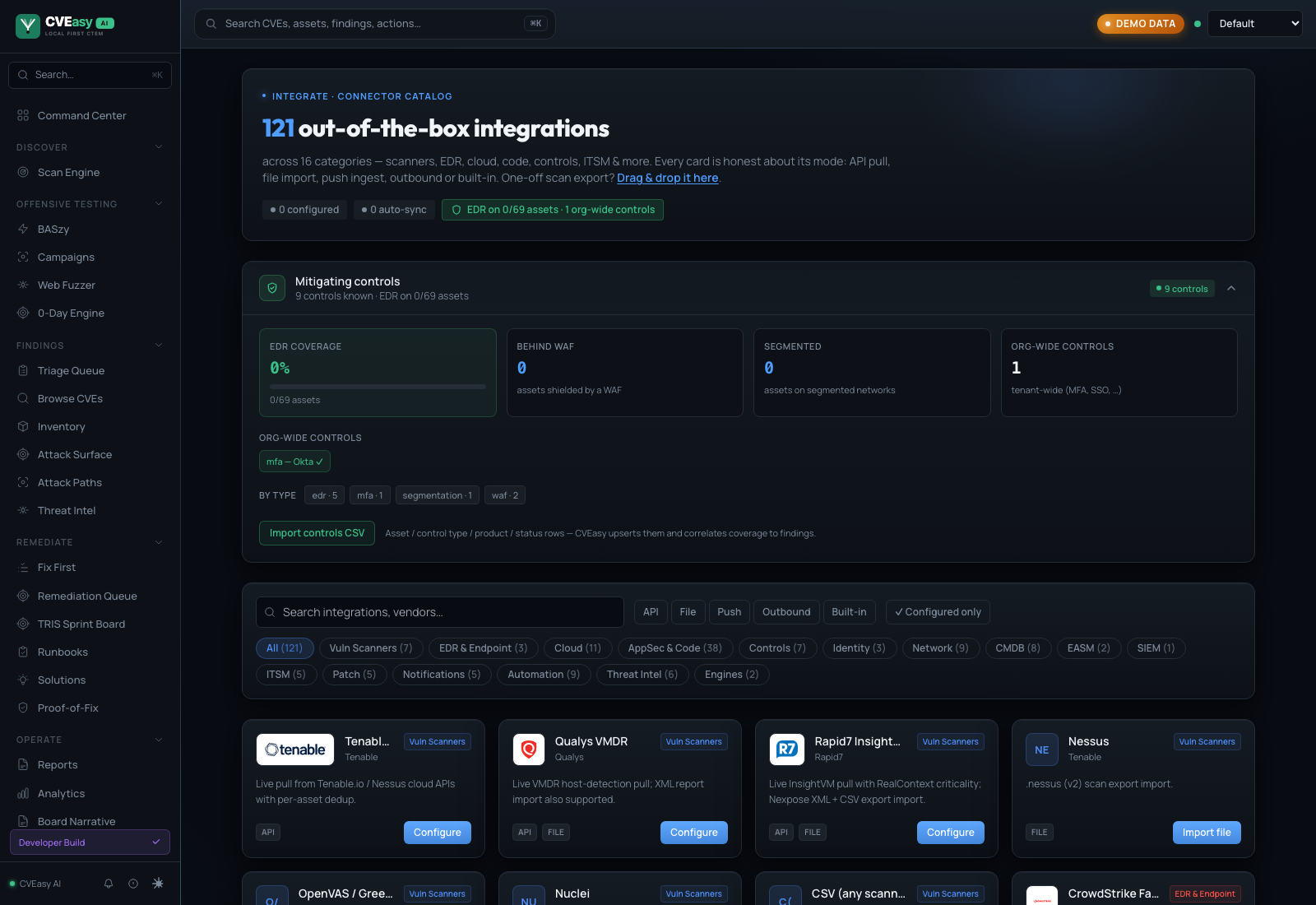
The same ledger in the shipped app. Every card is honest about its mode: API pull, file import, push ingest, outbound, or built-in.
Claude in the loop, when you want it.
Frontier reasoning is a first-class option, not a dependency. One membership covers both halves: the in-product Claude integration, and the open-source MCP server that puts your live install inside Claude Desktop and Claude Code.

An Anthropic partnership, built local-first
CVEasy AI is a member of the Anthropic Claude Partner Network. For teams that want frontier models in the loop, the Claude integration routes through a secure connection you control, and the official CVEasy MCP server connects Claude Desktop and Claude Code straight to your live install for posture queries, TRIS™ scoring, and report generation.
Optional by design. The on-device CVEasy AI Engine runs the product on its own, so air-gapped installs lose nothing.
- Tools
- Posture · CVE deep-dives · TRIS scoring · report generation
- Client
- Thin by design. The tools run against your install, not a copy of your data.
- Data path
- Your exposure data never leaves your machine.
The stacks we run in.
Beyond the connector catalog, these are the environments CVEasy deploys into: the storage, virtualization, backup, network, and awareness platforms sharing the rack on real engagements.










All trademarks are the property of their respective owners. Logos denote integration or deployment context, not endorsement.
Become a partner.
Whether you deliver security for other people, build a tool we should read, or just need your stack supported, there is a track for it.
MSSP & managed service
Run CVEasy across your client base from one install. Built for teams who own posture for somebody else.
- Per-tenant workspaces with isolated data and scoring
- Client-branded TRIS™ reports and remediation plans
- Scheduled auto-ingest from each client's scanners
- Fix First work orders pushed through your patch consoles
Technology Partners
Build a connector, or have us build one. If your tool produces findings, asset data, or detections, it belongs in the graph.
- API pull, file import, or push ingest, whichever fits
- Listed in the in-app connector catalog
- SARIF, CSV, and webhook paths already supported
- Joint validation against a real environment
Request an Integration
Running something we don't support yet? Tell us what it is and what it exports. Customer requests set the connector roadmap.
- Most file-import connectors ship in days, not quarters
- We'll take a sample export and confirm the mode
- You get told when it lands, in the changelog
Want to see it running against your stack?
Bring your scanner. We'll show you what TRIS reranks in the first ten minutes.
Request a Demo →